Wizardo Casino App: Fast Mobile Play
With Wizardo casino app, you can access your account, games and promotions from a smartphone or tablet without searching for the website each time. Mobile access is based on PWA technology: you add Wizardo to your Home screen and open the official site with app-like access.
This casino app format keeps the experience simple and direct. You use the same Wizardo Casino account, the same wallet and the same website environment, with a layout adapted for mobile play. A native App Store or Google Play app is not required unless such an option is available in your region.
Mobile access with the PWA
 Wizardo Casino from mobile is designed for quick sessions, account checks and access to games on the go. From one device, you can open the casino lobby, enter live games, check active promotions, make a deposit or request a withdrawal through our mobile wallet.
The mobile format is useful when you want faster access from the Home screen, but still prefer to stay inside the Wizardo website. You do not need to install software from an external source or create a separate account for mobile use.
How the mobile PWA works
The mobile PWA works as a Progressive Web App. After you add it to the Home screen, the icon remains on your device and opens Wizardo directly in mobile format.
The main advantage is continuity. Your balance, games, promotions and account settings remain connected to the same profile. You can start on desktop and continue from mobile, or use your smartphone as the main way to enter the casino.
Wizardo casino app download and PWA setup
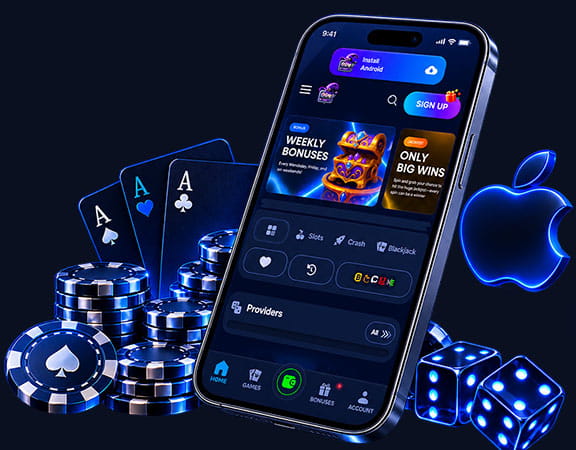 Download in this context means adding the PWA shortcut to your Home screen, not installing an APK from an external source. The process is different for Android and iOS, but in both cases it takes less than a minute and does not require a store download.
Android installation
For Wizardo casino app android access, use Google Chrome or another browser that supports PWA.
- Open the Wizardo Casino website in your browser.
- Tap the three-dot menu in the top-right corner.
- Select “Add to Home Screen”, “Install app” or “Add to screen”.
- Confirm the action by tapping “Add”.
- Use the Wizardo icon from the Home screen for faster access.
Once the site is added to the Home screen, you can open Wizardo from its icon like a regular mobile app shortcut.
iOS installation
On iPhone and iPad, use Safari to add Wizardo to the Home screen. After confirmation, the icon appears on your device and opens the mobile version of the site.
- Open Wizardo Casino in Safari.
- Tap the “Share” icon.
- Scroll through the menu and choose “Add to Home Screen”.
- Confirm by tapping “Add”.
- Open Wizardo from the new icon on your Home screen.
What you can do from mobile
Mobile access covers the main account functions for everyday casino play. You can register, log in, open games, manage your balance and activate promotions from the same account.
Login and registration
From mobile, registration starts with the “Sign up” button. Enter your email address, create a password, complete the required contact information and accept the applicable terms before confirming your account.
If you forget your password, open “Login” and choose “Forgot your password?”. Enter the email address used during registration and follow the instructions sent to your inbox to create a new password.
Games available from mobile
From your smartphone or tablet, you can access the Wizardo Casino game catalog, including slots, live games, table games and active promotions available in your account. Game availability may vary by provider, category, device and player location.
Before starting a session, open the game screen and check the rules, limits and conditions. For live games, a stable connection helps video, audio and bets stay synchronized during the round.
Deposits and withdrawals
To make a deposit from mobile, use the “Deposit” button or open “Account” and then “Wallet”. Choose an available payment method, enter the amount and confirm the transaction.
To request a withdrawal, go to “Account”, open “Wallet” and select “Withdraw”. Verification of identity or payment method ownership may be required before the request is processed.
Promotions and bonuses
From mobile, you can open the Promo section and activate offers available in your account. Each promotion may include its own minimum deposit, wagering requirement, validity period, eligible games and cashout limits.
For details about first-deposit offers, visit the casino welcome bonus page. Before using promotional funds, always read the conditions of the selected offer.
Account security on mobile
When using Wizardo from a mobile device, keep your login details private and do not share your password with anyone. Two-factor authentication is available as additional protection against unauthorized access.
Payment methods must belong to the account holder. In some cases, we may request KYC documents to confirm identity, address or ownership of the payment method, especially before withdrawals or additional verification checks.
Troubleshooting and support
If a game does not load correctly, refresh the page and try opening it again. If the issue continues, try another browser such as Chrome, Opera, Mozilla Firefox or Safari.
You can also clear cache and cookies, disable VPN, antivirus or ad blockers, and check the quality of your connection. If a deposit does not appear in your balance, a password reset email does not arrive, or the game still does not open after these checks, contact our support through Live Chat or the email shown on the website.
FAQ
Does Wizardo Casino have a mobile app?
Wizardo can be used on mobile through a browser and PWA format. You can add it to the Home screen and open it with app-like access while staying inside the website environment.
How do I install the app on Android?
Open the site in Chrome or another browser that supports PWA, then tap the three-dot menu. Select “Add to Home Screen” or “Install app”, confirm the action and use the new icon for quick access.
How do I add the app on iPhone?
Open the site in Safari and tap the “Share” icon. Choose “Add to Home Screen”, confirm the action and launch it from the icon added to your Home screen.
Can I play live games from mobile?
Yes, live games are available from a smartphone or tablet through mobile access. For a smoother session, use a reliable connection and an updated device.
Can I activate bonuses from mobile?
Yes, you can open the Promo section from mobile and activate offers available in your account. Conditions vary by promotion, so check wagering, eligible games, validity period and cashout limits before depositing.
What should I do if a game does not load on my phone?
Refresh the page, try another browser and clear cache and cookies. If you use VPN or ad blockers, disable them and try again; if the issue continues, contact Wizardo support.
Is the mobile version secure?
The mobile version uses the same account environment as the website. To keep your account protected, do not share login details, use 2FA when available and complete any required verification checks.